I made a presentation a few months ago based on a simple question I relieved… “What is all that stuff in your backpack?” I normally carry, well, more than I really need. Full list with links is below, or here’s the presentation for those who want to see it in all its original, horrible glory. Ever wonder what types of stuff I normally carry when on a pentest? Well, now you know. Enjoy!
Chuck Lumley
I maintain a modified version of Kali I use as the basis for my testing which includes a variety of extra tools, preference, references, etc. If you want a copy yourself, you can find one here:
https://drive.google.com/drive/folders/1id6hRacVUtcQRtq8zjSkxtTSE3AvxTk3?usp=sharing
Each version is named for a different character played by Henry Winkler, for the record.
QuickHit: wget Website Mirroring
You may often need to mirror all (or part) of a website for offline analysis. The ‘wget’ program has some easy features to use when you want to quickly get a local copy of a site and correct common issues (like links pointing to server locations). Set up one of these behind the scenes while you work on other aspects, then peruse at your leisure.
Update 2018-07-21: Or just use the script I wrote to simplify this for my customized Kali build, available here.
Introduction to Hardware Protocols
As you begin diving into hardware hacking and reading printed circuit boards (PCB) you will likely come across several common protocols. This article isn’t intended to be an exhaustive list of content, but rather a quick guide to identifying which protocols are commonly used, what they require, and what common tools will let you interface with them. I’ll be covering the following protocols in this article:
- RS-232
- USB
- I2C
- SPI
- JTAG
- UART
- USART
Random Characters
Because every so often it’s nice to have a list of characters you can just copy/paste from, rather than trying to figure out where else they may be.
Quick ASCII Binary Tools
Just going to leave this here (and here) in case anyone needs a quick set of source-able functions to make quick ASCII->Binary and Binary->ASCII conversions from Linux command lines. 🙂
Getting Started with DigiSpark
I bought a pile of DigiSpark devices on a whim (they’re less than $2 each), and the following are just my notes on how to get things up and running with them to do simple testing. I’ll also note that this was based on the DigiStump connecting tutorial, but I found some gaps in their approach and wanted to document my variations here for posterity.
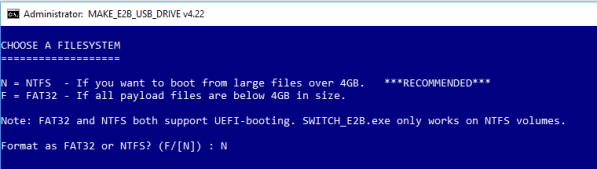
Multi-OS Boot Build
One of the most frustrating things to do is shuffle various USB drives trying to remember which one you were using last (for persistent OS boots), or which one has the working version of “X” operating system/which installer. This article covers how to take an external USB drive (whether a large thumb drive or an actual external hard drive) and turn it into a whizbang multi-OS booting device.
Benedict Slade
I maintain a modified version of Kali I use as the basis for my testing which includes a variety of extra tools, preference, references, etc. If you want a copy yourself, you can find one here:
https://drive.google.com/open?id=1X0IHNuRCWjHoQdvQUaEwWoDLKEB1_5ti
CTF-Tools
I’ve started tracking individual CTF and other tools that I typically add to distributions to my standard GitHub. If you want/need to pull any of these they are located here: